

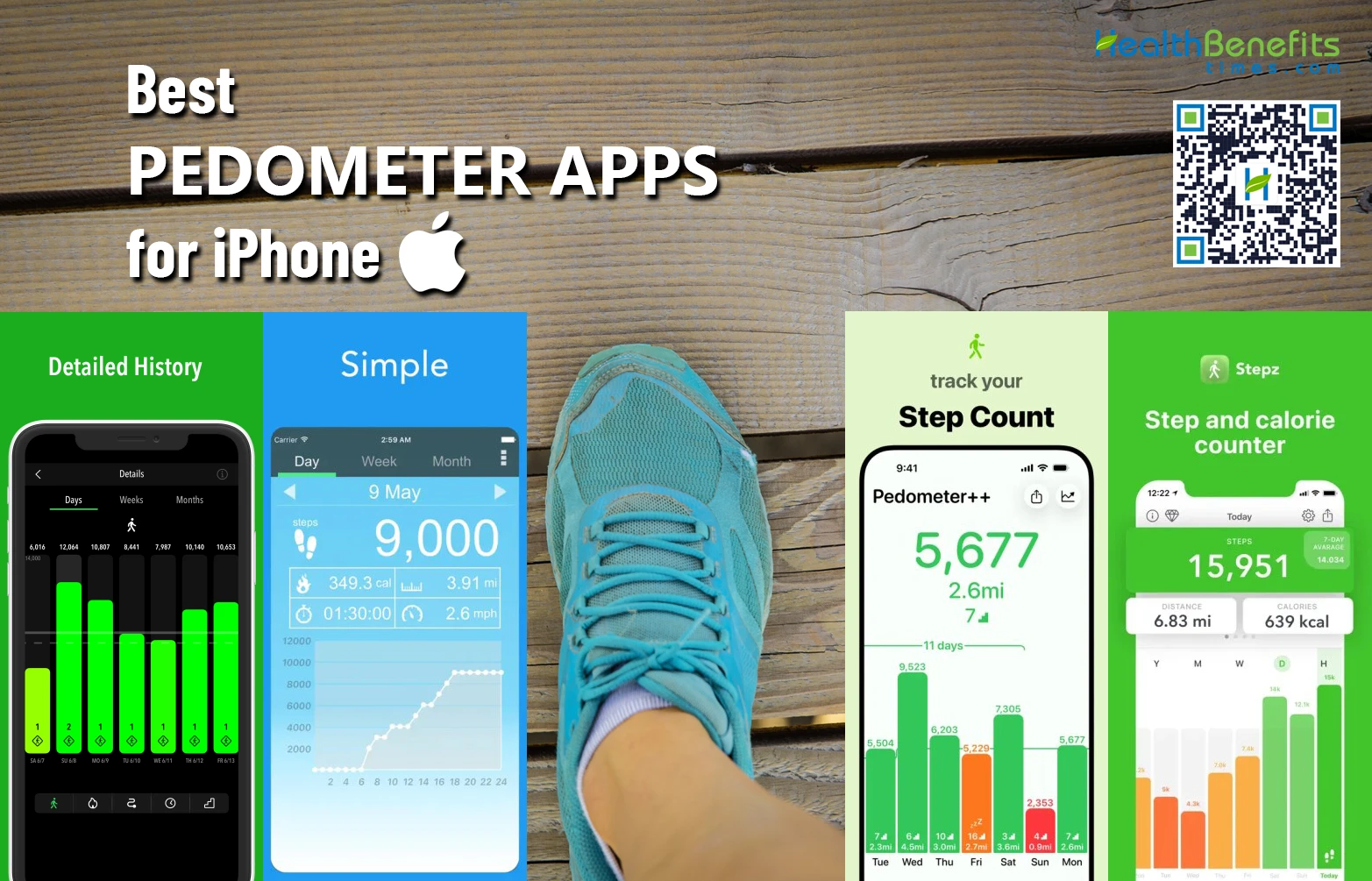
Beyond tracking, a step counter app can act as a powerful motivational tool. Setting personal goals and viewing your progress can inspire you to reduce sedentary behavior and be more active. Moreover, by storing your entire history and providing useful statistics and trends, the app will help you adjust your habits and maintain a healthier lifestyle over time.
Don’t know which app to download to track your steps? No worries. We tested several options and selected five worth considering. Whether you’re looking for a straightforward step counter, detailed activity stats or additional walking and workout features, you’ll be able to find exactly what you need.
ActivityTracker
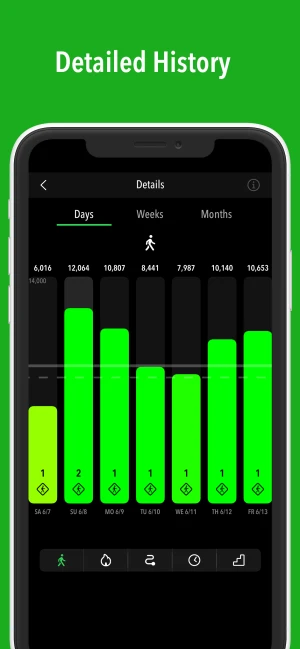
This pedometer app for iPhone automatically tracks steps, distance, active calories, active time and flights climbed, using the built-in motion coprocessor. This means you can monitor your daily activity without draining your battery. For users who want more than a basic pedometer, it also includes a separate GPS Activities feature. The app can record walks, runs, hikes and bike rides with route maps and statistics such as speed, elevation and splits. Heart rate information is also available when pairing it with an Apple Watch.
One of ActivityTracker’s strengths is the way it presents your activity. You can view your progress by hour, day, week, month or year, with graphs that make it easy to see how active you have been over time. You can also set a weekly target for various metrics and follow your progress toward it. The app can import your historical data from Apple Health and sync steps between your iPhone, Apple Watch and Health app.
ActivityTracker makes it easy to check your progress at a glance. Its iOS widgets can display your activity directly on the Home Screen or Lock Screen, including graphs showing your progress by hour and day. The app badge can also show your current step count directly on the icon, so you can see how many steps you’ve taken without even opening the app.
Pedometer++
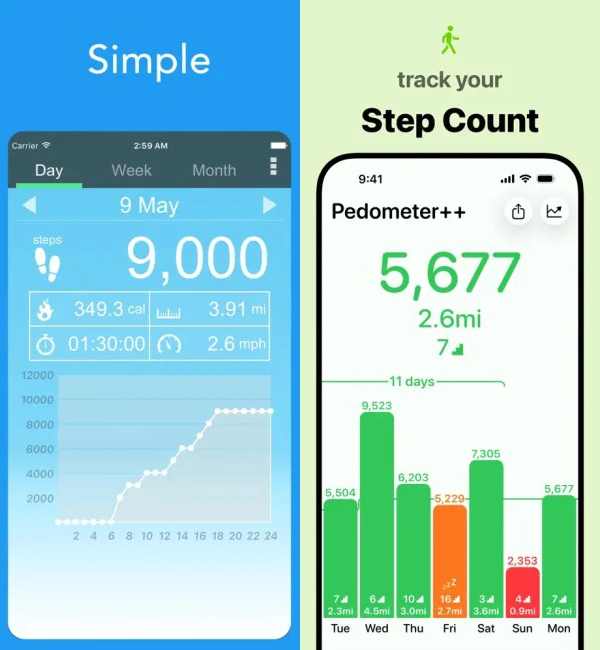
Pedometer++ is one of the more feature-rich options in this category. In addition to steps, it tracks walking distance, active calories, heart rate and flights climbed. You can set a custom step goal, monitor your progress with graphs and earn badges for reaching activity milestones. The app also offers diverse widgets for displaying your progress on the iPhone and Apple Watch.
Pedometer++ has grown beyond simple step counting and now includes walking and running workouts, route planning, maps and offline maps. It can also import GPX routes and create routes based on a chosen starting and ending point. The app lets you use iOS Live Activities to track active workouts in real time and offers Apple Health integration, including historical data sync.
Stepz
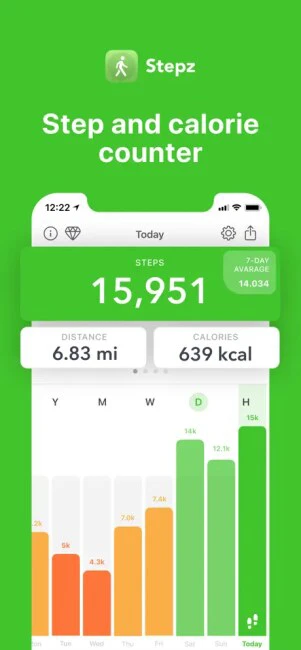
Stepz allows you to set a daily goal and keeps you updated by displaying your progress toward your target. To make walking more entertaining, the app features milestone badges and achievements unlocked by reaching cumulative step and distance goals. It can integrate completely with Apple Health and store past trends for analysis.
The downside is that some of the more useful extras, such as the icon badge and widget, are part of the premium version. It also isn’t particularly focused on detailed workout or GPS analysis. Overall, Stepz is best suited to people who mainly want to see how many steps they take each day without being overwhelmed by features.
Accupedo
Accupedo lets you set a daily step goal and provides comprehensive fitness stats. You can email a daily log file and review your historical trends in daily, weekly, monthly and yearly charts. To keep you motivated, the app provides daily notifications, smart messaging and motivational quotes. You also get customizable Home Screen widgets, so you can preview steps, active minutes or calories burned at a quick glance.
Overall, Accupedo is a reliable pedometer app for users who prioritize data over design or social fitness trends. It hasn’t received an important update in quite some time, so it lacks the modern visual aesthetic, smooth animations and advanced integrations found in newer iOS apps.
Pedometer α
Pedometer α is probably the simplest of the five apps listed. Of course, this isn’t necessarily a bad thing. It just depends on what you’re looking for.
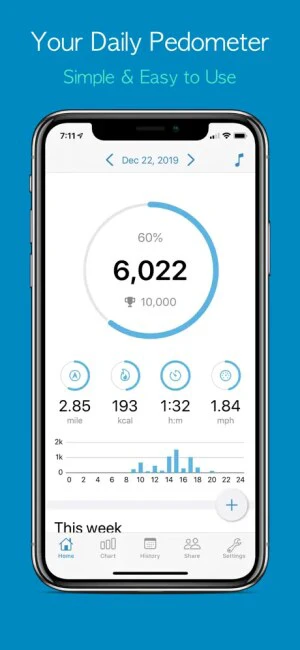
Pedometer α automatically counts steps while the iPhone is in your pocket or bag and focuses on the basic fitness metrics: steps, distance, walking time, speed and calories. It provides graphs for reviewing your past activity, as well as different visual themes.
One of the app’s biggest advantages is that it’s free (ad-supported), lightweight and easy to configure. The trade-off is that it doesn’t offer the same level of Apple Health/Apple Watch integration or broader walking features as ActivityTracker or Pedometer++. Therefore, it is better for someone who simply wants a traditional pedometer rather than a more complete fitness tracking experience.
Comments
comments