

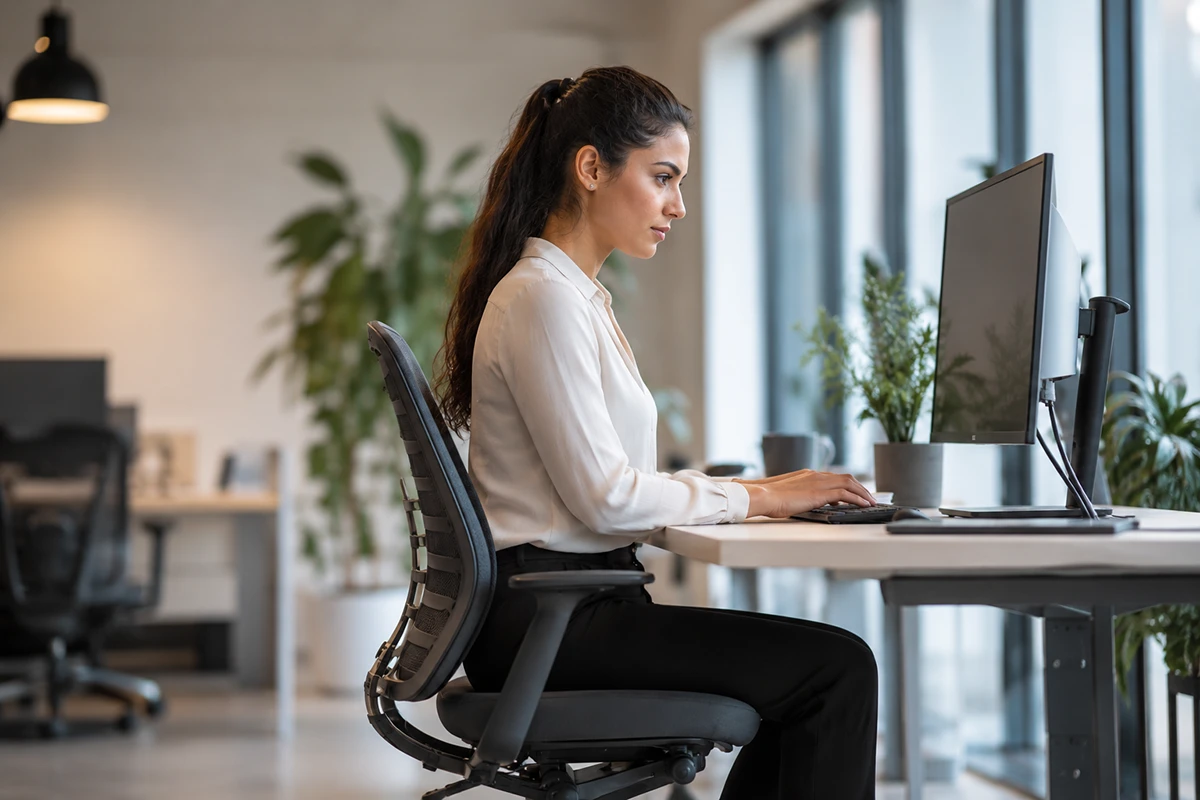
Workplace ergonomics is the process of designing work tasks, equipment and environments around the physical needs of the people using them. Its purpose is to make everyday work more comfortable, efficient and sustainable while reducing unnecessary physical strain.
Although ergonomics is frequently associated with office chairs, it involves much more than seating. Desk height, monitor position, lighting, repetitive movements, equipment placement and the amount of time spent in one posture can all affect how a person feels during the working day.
A well-designed workstation should support different body sizes, working styles and responsibilities. It should also allow people to change position instead of expecting them to remain seated or standing for extended periods.
Understanding the relationship between sitting, standing and movement is therefore central to creating a healthier and more comfortable working environment.
What Does Workplace Ergonomics Mean?
The word ergonomics refers to the relationship between people and the systems, equipment and environments they use. In a workplace, ergonomic design attempts to fit the work to the person rather than requiring the person to adapt continuously to unsuitable equipment.
For an office employee, this may involve adjusting a chair, positioning a monitor at a comfortable height and keeping frequently used items within easy reach. In a laboratory, warehouse, reception area or production environment, it may involve standing support, task-specific seating or changes to how tools and materials are handled.
Good ergonomics does not depend on finding one perfect position. Even a carefully adjusted posture can become uncomfortable when maintained for too long. Effective workstation design should support posture variation and regular movement throughout the day.
How Prolonged Sitting Affects the Body
Sitting is not inherently harmful. It is a normal and necessary posture that allows people to perform detailed tasks, concentrate and rest the lower limbs. Problems are more likely to arise when someone remains seated for long periods without changing position.
Prolonged sitting may contribute to muscular fatigue, stiffness and localised discomfort. Employees may gradually lean towards a screen, round their shoulders or sit on the front edge of the chair as concentration and fatigue increase.
A poorly adjusted workstation can amplify these problems. If a chair is too high, the user’s feet may not rest securely on the floor. If it is too low, the hips and knees may be positioned awkwardly. A screen placed too far away can encourage forward leaning, while a monitor positioned to one side may result in repeated neck rotation.
The objective is not to eliminate sitting but to make seated work more supportive and to interrupt long periods of inactivity.
Why Chair Adjustability Matters
People vary considerably in height, body proportions, mobility and preferred working positions. A fixed chair may suit one person while creating difficulties for another.
An adjustable office chair allows the user to alter important features such as seat height, backrest position and, depending on the model, seat depth, lumbar support and armrest height. These adjustments can help the chair support the individual rather than forcing the individual into a predetermined position.
Seat height should generally allow the user’s feet to rest firmly on the floor or an appropriate footrest. The backrest should support a comfortable upright or slightly reclined posture, and the user should be able to work without lifting the shoulders or reaching excessively.
For Australian organisations seeking independently tested commercial seating, AFRDI-certified chairs can provide additional information about a chair’s strength, durability, safety and suitability for particular types of use. Certification does not replace individual adjustment, but it can assist organisations when evaluating furniture for demanding workplace environments.
What Is AFRDI Certification?
AFRDI stands for the Australasian Furnishing Research and Development Institute. The organisation operates testing and certification programmes for furniture sold in Australia and the wider region.
Depending on the applicable standard and certification level, office chairs may be assessed for factors including stability, strength, durability, dimensions and safety. Some testing programmes also distinguish between general commercial seating and chairs intended for heavier or multi-shift use.
Certification can be useful for businesses, government departments, healthcare providers and educational institutions purchasing chairs in larger quantities. It gives procurement teams a recognised reference point when comparing products that may otherwise appear similar.
However, certification should be considered alongside the needs of the intended users. A well-tested chair still needs suitable dimensions, adjustments and features for the people who will use it.
How to Adjust a Seated Workstation
Chair adjustment should ordinarily begin with the lower body. The user should sit back in the chair with the feet supported and the knees positioned comfortably. Seat height can then be adjusted so the desk can be used without raising the shoulders.
The backrest should support the natural shape of the back without pushing the user into an uncomfortable position. If adjustable armrests are provided, they should support the arms without preventing the chair from moving close enough to the desk.
Once the chair has been adjusted, the monitor and input devices can be positioned around the user. The primary screen should be directly in front of the person, with the most frequently viewed area at a comfortable eye level. The keyboard and mouse should remain close enough to use without repeated reaching.
Employees using multiple screens should consider how frequently each monitor is viewed. If both are used equally, they may be placed side by side. If one is the primary screen, it should generally remain directly in front of the user.
Is Standing Better Than Sitting?
Standing can provide a useful change from seated work, but it is not automatically better in every situation. Remaining upright for long periods can also lead to discomfort, particularly in the feet and lower limbs.
The principal advantage of an adjustable workstation is not that it turns sitting work into standing work. It gives the user an opportunity to alternate between positions.
Some tasks may feel more natural while standing, such as short telephone calls, informal discussions or reviewing documents. Detailed computer work may be more comfortable while seated. The appropriate balance will vary between individuals and tasks.
People who are new to standing work should introduce it progressively. Attempting to stand for several uninterrupted hours on the first day may lead to fatigue and discourage continued use.
How Anti-Fatigue Mats May Support Standing Work
Flooring affects how standing feels. Hard surfaces offer little cushioning, and remaining in one position can place sustained pressure on the feet and lower limbs.
An anti-fatigue mat provides a slightly cushioned surface intended to encourage subtle changes in stance. These small movements may help some users feel more comfortable during standing tasks.
Purpose-designed anti-fatigue mats may be considered for sit-stand workstations, reception counters, laboratories, service desks and other environments where employees spend part of the day standing on firm flooring.
A mat should lie flat and remain stable during use. Its edges should not curl or create a trip hazard, and it should not obstruct chairs, doors or pedestrian routes. The surface must also be appropriate for the environment, particularly where regular cleaning or resistance to spills is required.
An anti-fatigue mat is not a substitute for movement, suitable footwear or appropriate workstation adjustment. It is one component of a broader standing-work strategy.
Why Movement Is More Important Than One Perfect Posture
Ergonomic illustrations often show an ideal seated or standing position. These diagrams are useful starting points, but the human body is designed to move.
Muscles can become tired when they hold the same position for an extended period, even when that position initially feels comfortable. Small changes—such as standing, walking to speak with a colleague or adjusting the chair’s recline—can vary the physical demands placed on the body.
Workplace routines can make movement easier. Printers, water stations and shared storage may be positioned so employees occasionally need to leave their desks. Short standing meetings can provide another change of posture, while task rotation may help employees avoid repeating the same movement continuously.
Movement does not need to interrupt productivity. Brief, regular changes can be incorporated into normal work processes.
Ergonomics for Shared and Hybrid Workstations
Shared desks create additional ergonomic challenges because the same equipment may be used by several people with different physical requirements.
Each user should be able to adjust the chair, monitor and desk without specialist assistance. Controls should be easy to locate and operate, and simple adjustment instructions can be displayed near the workstation.
Employees should not assume that the settings left by the previous user will suit them. Taking a few minutes to adjust the workstation at the start of the day may prevent hours of unnecessary discomfort.
Hybrid employees also need to consider their home working environment. A laptop used temporarily at a kitchen table may be acceptable for a short task, but it is less suitable as a permanent workstation. Where possible, an external keyboard, mouse and raised screen can provide greater flexibility.
Common Workplace Ergonomic Mistakes
One common mistake is purchasing adjustable equipment without showing employees how to use it. A chair with multiple controls offers little benefit when users do not understand what those controls change.
Another is treating ergonomics as a one-time setup exercise. Work tasks, physical needs and equipment can change, meaning workstation arrangements should be reviewed periodically.
Other common problems include:
- Placing monitors too far away or off to one side
- Working with unsupported feet
- Positioning keyboards and mice beyond comfortable reach
- Standing for long periods without changing position
- Using anti-fatigue mats with damaged or curled edges
- Allowing cables and equipment to obstruct legroom
- Selecting furniture based only on appearance
- Assuming one chair or desk configuration will suit everyone
Addressing these issues generally requires a combination of appropriate equipment, user education and regular review.
When Should Ergonomic Arrangements Be Reviewed?
A workstation should be reviewed whenever an employee reports persistent discomfort, changes roles, receives new equipment or begins using a different work location.
Organisations may also conduct periodic workstation assessments as part of their broader health and safety processes. Consultation is important because employees often understand which tasks or equipment create difficulties.
Persistent pain, numbness, weakness or other concerning symptoms should not be self-diagnosed as an ergonomic problem. A qualified healthcare professional can assess symptoms and determine whether medical treatment or workplace modifications are required.
Ergonomic equipment may support comfort and work design, but it should not be presented as a cure for an injury or health condition.
Creating a Balanced Working Routine
An effective ergonomic routine combines supportive sitting, comfortable standing and regular movement. The proportion of each will depend on the individual, the task and the working environment.
Employees can begin by adjusting their chairs and screens, keeping essential equipment within reach and identifying opportunities to change position during the day. Standing periods can be introduced gradually, with supportive flooring considered where appropriate.
Employers can support these habits by selecting adjustable equipment, consulting workers and providing clear instructions. They should also review the workplace when tasks, staffing arrangements or equipment change.
The goal of workplace ergonomics is not to make people hold a technically perfect posture throughout the day. It is to create an environment that allows them to work comfortably, change position and respond to their individual needs.
A workstation that supports sitting, standing and movement is more adaptable than one built around a single posture. By treating ergonomics as an ongoing process rather than a one-off furniture purchase, organisations can create workplaces that better support the people using them.